
IPTVX · Personal media player
IPTVX Player. Your content, beautifully played.
IPTVX brings your live TV, movies and series together in a cinematic player for your own playlists.
Player app only. Bring your own content.


Available on
Apple
iPhone · iPad · Apple TV
App Store
Android & Google TV
Phones · tablets · Android TV · Google TV
Google Play
Amazon Fire OS
Compatible Fire TV devices
Fire TV installation guide
Apple and Android installations come straight from their stores. Fire OS installation follows the publisher's official guide. Features and sync options can differ between platforms — see the device notes.
Product tour
Explore IPTVX.
Switch between the parts of IPTVX you will use most.

Find your next watch.
Explore your library by genre, title and available recommendations, so a large catalogue opens with something to choose.
Rows and metadata depend on what your playlist provides for each title.

The week, at a glance.
Channels arrive in a programme grid with the current slot highlighted, what is next beside it, and a search that reaches channels and programmes together.
Guide data, catch-up and programme availability all come from your source.

Details before you commit.
Open a title and you get the artwork, runtime, tracks and episodes — plus the exact minute you stopped watching, waiting to be resumed.
Episode lists and metadata depend on what your playlist provides for each title.
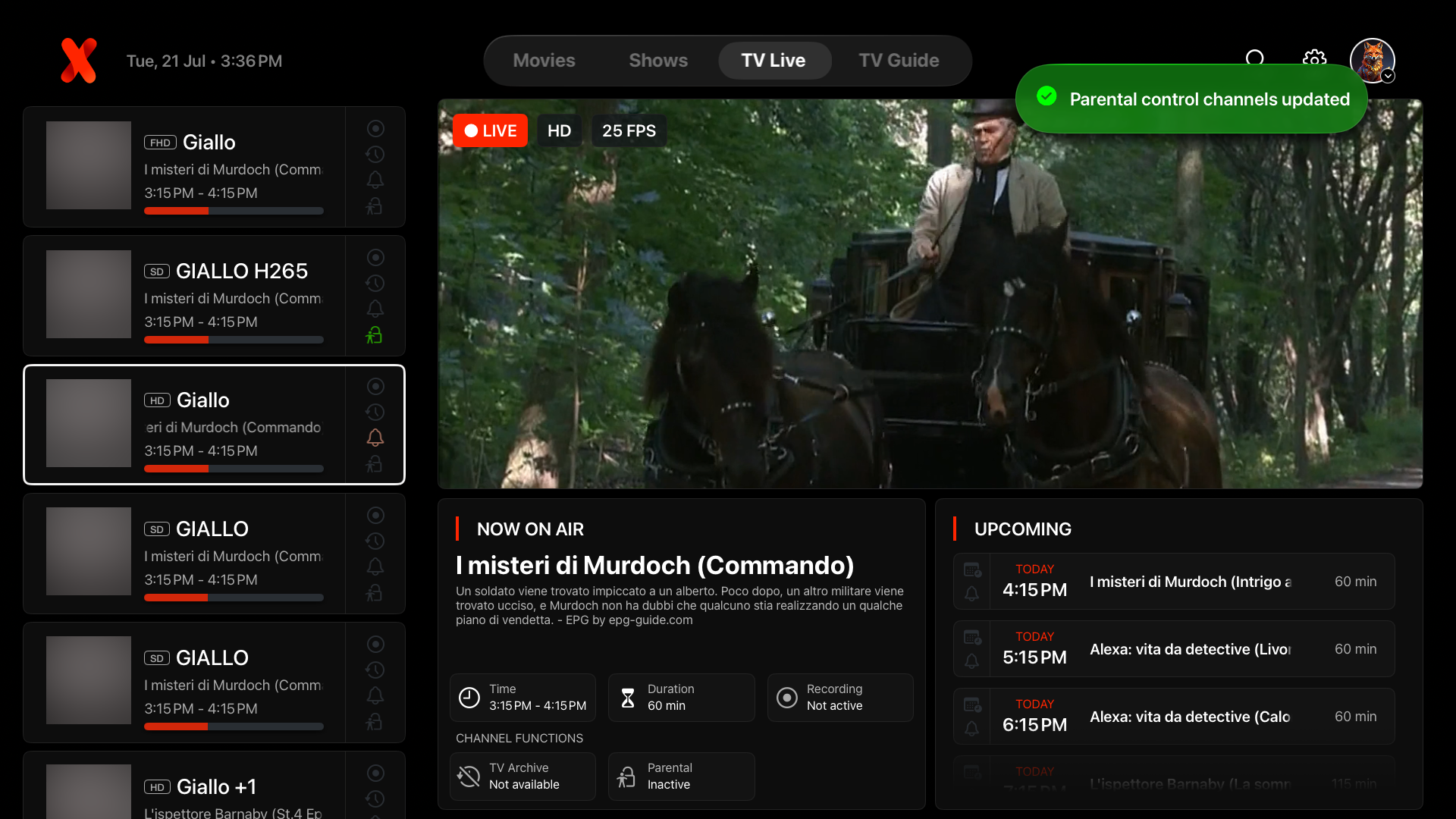
Controls that stay out of the picture.
Subtitles, audio tracks, continue-watching and a playback queue sit over the picture, then fade the moment you stop touching the remote.
Tracks, subtitle files and intro markers depend on how your source packaged each title.
Capabilities
Built around the way you watch.
Four things IPTVX does with the library you bring.
- 01
Playlists and favourites
Add the sources you already have, keep them separate, and keep the titles you return to close at hand.
- 02
Live TV and programme guide
Channels and programmes in one grid, with the current slot highlighted and what follows it in view.
- 03
Movies, seasons and episodes
Films and series open with their artwork, details and full episode list instead of a bare file name.
- 04
Playback tools
Subtitles, audio tracks, a queue and skip intro, on a control layer that fades out of the picture.
Continuity
From the big screen
to your screen.
The same app on your television and on your phone: one interface, one set of controls, laid out for each screen.
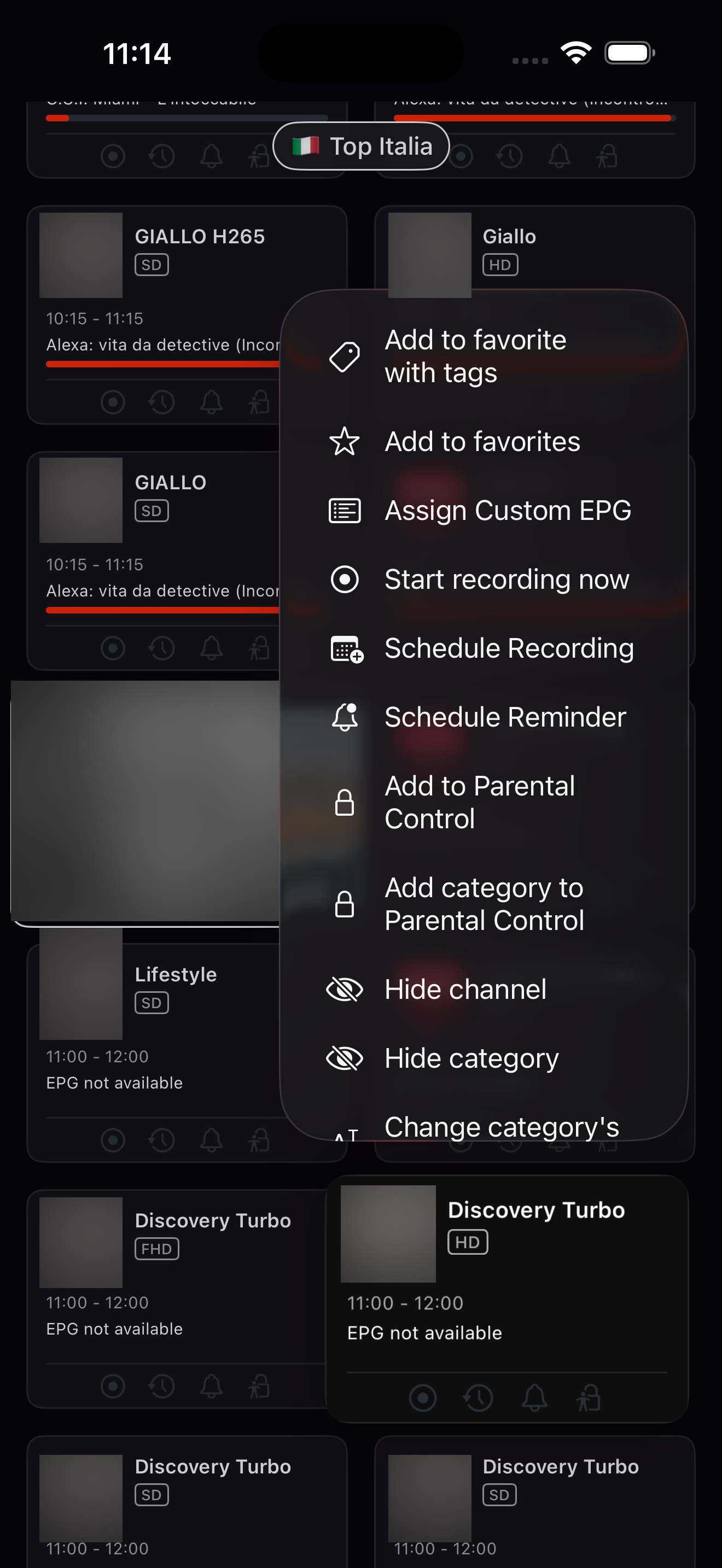
Sync on your devices
Use IPTVX on supported TVs, phones and tablets. Sync supported library data and progress using the configuration available for your devices.
See the setup details for each deviceTelevision, phone and tablet
Both screens are the same product. Each platform installs from its own store, so an installed version can lag behind another.
Signing a TV in from your phone
The publisher documents phone pairing for TV accounts, which avoids typing a playlist address with a remote.
Getting started
Your next watch
starts here.
- 01
Download IPTVX.
Install from the App Store or Google Play, or follow the official guide if you are on a Fire TV device.
- 02
Add your own playlist or media source.
Inside the app, on your own device, add the source you are authorised to use, then let the app load it.
- 03
Browse your library and start watching.
Channels, films and series appear together, with favourites and progress waiting where you left them.
Playlist credentials are entered only inside the app. This website cannot add a source for you and will never ask for one.
Questions
Before you
install.
The short answers to what people ask first. The full FAQ covers setup, devices, playlists, playback and purchases.
Read the full FAQIPTVX is a media player for Apple devices, Android and compatible Fire OS devices. It gives the playlists and media sources you already have a cinematic home for live TV, movies and series — a place to browse, search and watch your own library rather than a library of its own.
No. IPTVX does not sell, host or bundle channels, playlists, films or streaming subscriptions. It plays the content you supply and are authorised to access. Anything you watch comes from your own playlist or media source.
IPTVX is available from the Apple App Store for iPhone, iPad and Apple TV, and from Google Play for Android phones, tablets, Android TV and Google TV. Compatible Fire TV devices are installed through the publisher's official Fire OS guide. Features can differ between platforms, so check the platform notes on each feature before relying on it.
Adding a source happens inside the app on your own device. Open IPTVX, choose to add a playlist or media source, and enter the details your provider gave you. Never enter playlist addresses, usernames or passwords on this website — we have no way to add them to your app, and no reason to ask.
Usually the source itself is the cause: the account has expired, the provider is temporarily down, or the playlist address has changed. Confirm the same source works on another device or player, check that your provider account is active, and if the guide alone is empty, that guide data has been matched to your channels inside the app. If other sources play normally, the problem is almost always upstream.
Paid features are sold by Apple and by Google only, and this website does not sell subscriptions, process payments or show prices. Apple and Google Play purchases are separate: supported library syncing does not transfer purchase access between stores. On Fire OS there is no Amazon purchase — buy through Google Play, then sign in on the TV with the same IPTVX account.
Download
Make room for
a better player.
Choose your device. Bring your library.
View the Fire TV installation guide(opens in a new tab)